Unreal Engine
Save Often!!!
Consider using version control, or saving backups between major versions.
Hotkeys
asdf
Organization
- Use proper formatting in terms of file location, structure and file name.
- Moving assets in engine will not always move the file location.
File Naming
| Object | Prefix |
|---|---|
| General | |
| HDRI | HDR |
| Material | M |
| Material Instance | MI |
| Skeletal Mesh | SK |
| Static Mesh | SM |
| Texture | T |
| Blueprints | |
| Actor Component | AC |
| Animation Blueprint | ABP |
| Blueprint Interface | BI |
| Blueprint | BP |
| Data Table | DT |
| Structure | F |
Play Level
- Click on the viewport to start testing game
- Don't forget to stop the simulation before trying to compile!
Tips
- Filter system next to search bar on content browser
Sky Setup
- Directional Light
- Exponential Height Fog
- Sky Atmosphere
- Sky Light
- Volumetric Cloud
See Also: Photorealism
New Level
- don't right click, hit file > new level >basic
- Settings > Show Engine Content
- Open Level Blueprint
Level Nodes
- Event BeginPlay - Starts Event on level play
- Input determines control
- Input Axis - Updates every frame & returns value
- Input Actions
Pawns
- Default Pawn
- Default object that allows you to move
- You move it because you are possessing it
Character
- Add Movement Input
- Use Input Axis with positive and negative value
- Under Character Movement > Orient Rotation to Movement
Animation
Blend Spaces
Used to blend animations together. Use axis to change animation based on speed
Animation Blueprint
Materials
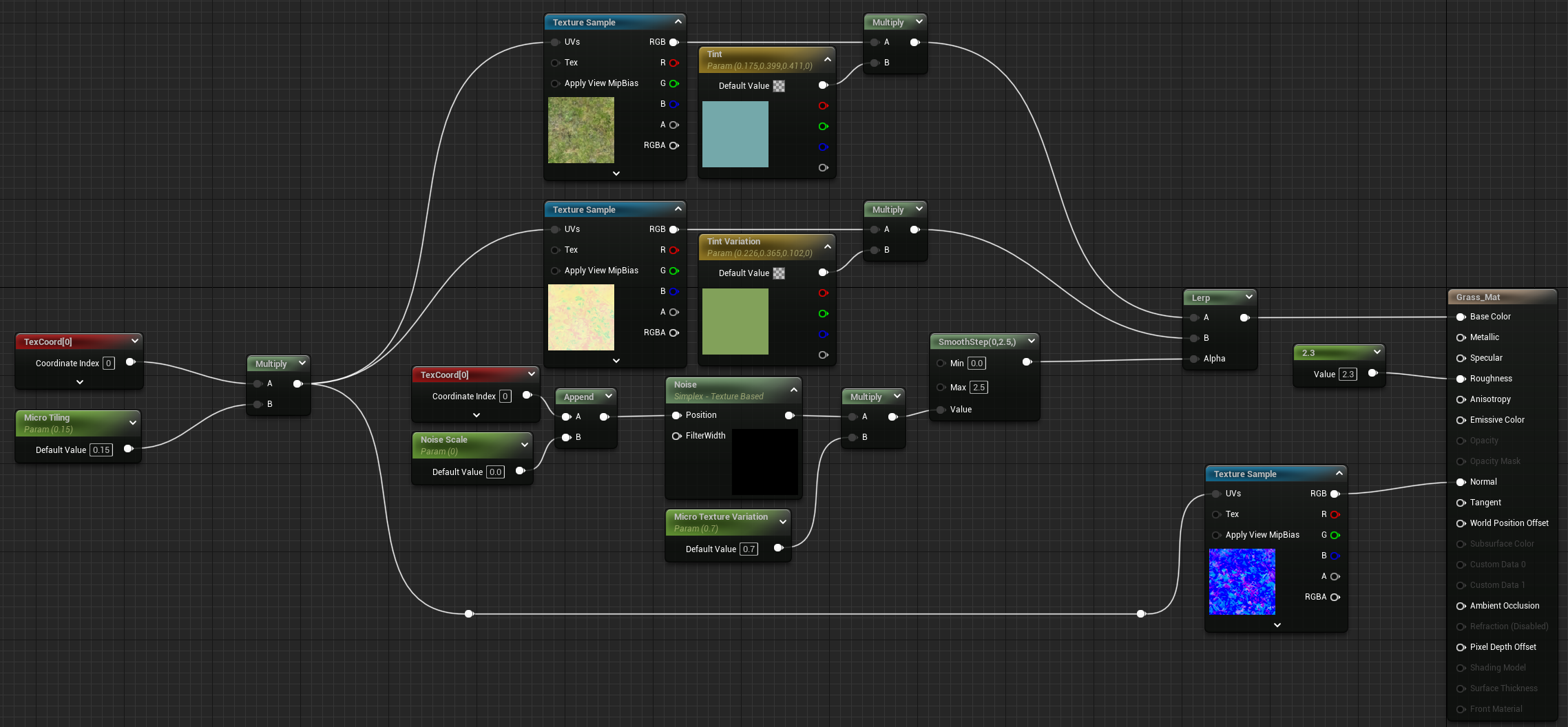
Tiling Textures
- Adding variation
- Use parameters to have editable values in details tab
- Vector Parameter as tint

- Landscape Layer Blend
- Add layers in left window with plus button
- This will create layers
- Under Landscape mode paint tab, create layer info - Weight Blended Layer